Is Tasks.Bot Good for AI Task Management Automation? An Honest Review
Your team already lives in WhatsApp, but your task list lives somewhere else. That gap costs you follow-ups, missed deadlines, and a manager chasing updates across three apps. Tasks.Bot bets the fix is to bring task management into the chat you already use.
This review answers one question honestly: does the AI actually automate task management, or just add another layer? You will see how it works inside WhatsApp, where the automation holds up and where it does not, what the voice notes and field tools really do, and what full access costs. By the end, you will know whether Tasks.Bot fits your team or wastes your trial.
What Is Tasks.Bot? Who It's Built For
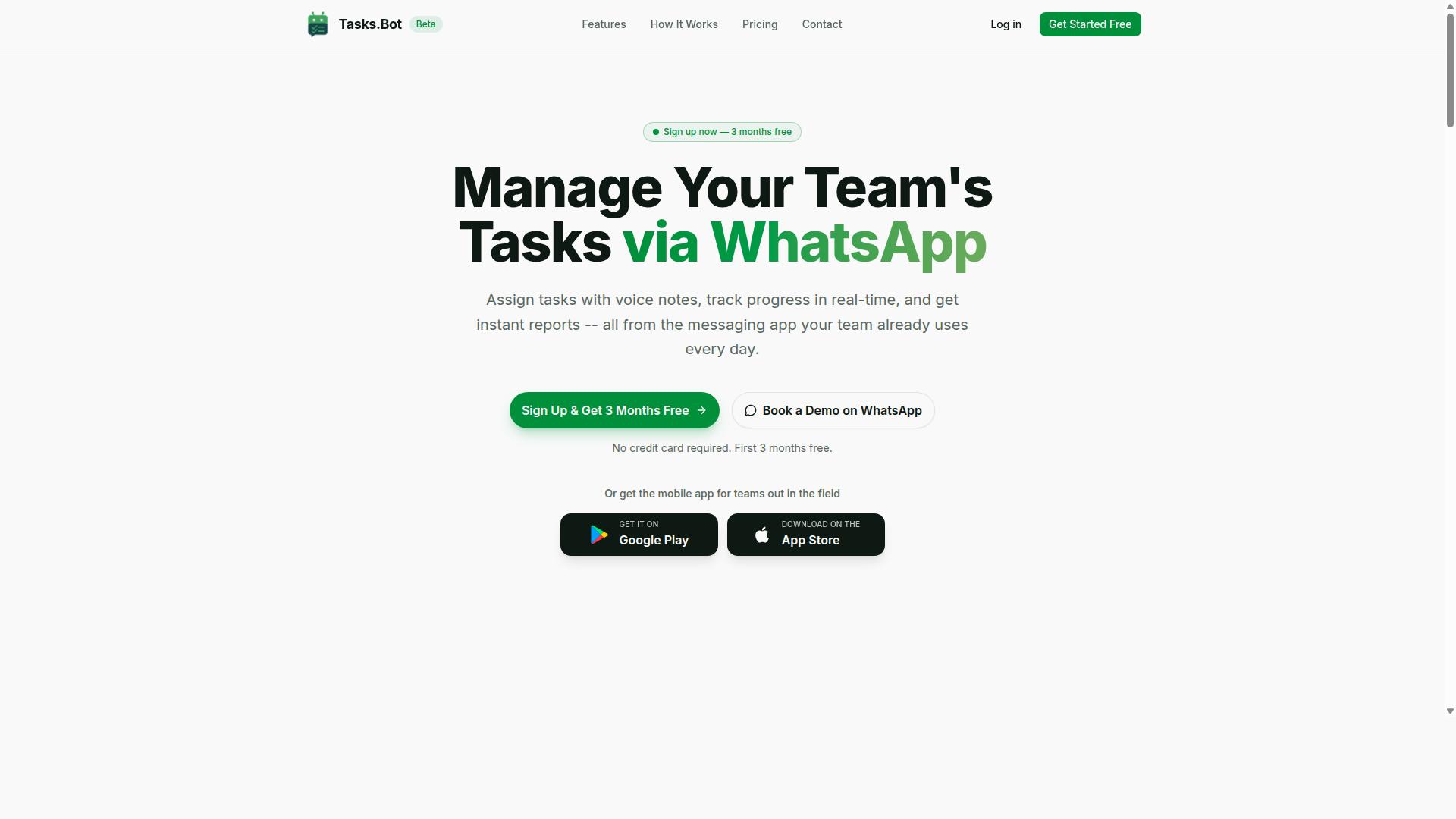
Tasks.Bot is a task management platform that operates entirely within WhatsApp, allowing teams to assign tasks, track progress, and receive reports without leaving the messaging app. Because it runs on a tool most teams already use daily, there is no new software to install and no extra accounts to create.
The platform is built for teams with field staff who need more than a simple to-do list. Beyond task creation, it covers attendance tracking and payroll-ready hours, along with tasks on a map, a live day tracker, and shifts, leave, and hours management.
While the core experience lives inside WhatsApp, Tasks.Bot also offers a mobile app for field teams, available on Android and iOS with push notifications, voice capture, and a home screen widget. The service is currently in beta and includes a free trial period.
How Tasks.Bot Works Inside WhatsApp
Using Tasks.Bot is as simple as sending a WhatsApp message: team members can create tasks via text or voice notes, and the AI automatically assigns them, sets deadlines, and sends reminders. The platform relies on natural language processing and machine learning to understand user intent, which is what separates it from a standard group chat.
Here is the flow in practice, step by step:
- Task creation: Send a message in plain language, or record a voice note. Tasks.Bot reads the intent and turns it into a structured task.
- Automatic assignment: The AI routes the task to the right team member, so no one has to manually tag people or maintain a separate spreadsheet.
- Smart deadline reminders: The platform tracks due dates and nudges the assignee before a deadline slips, supporting reliable task scheduling without a manager chasing updates.
- Approvals and automations: Work can move through approval steps and automated handoffs, keeping routine workflow automation running in the background.
- Instant reports: Managers request a report and receive it in the same chat, covering progress, attendance, and hours.
Because everything happens in a conversation thread, the barrier to adoption is low. Field workers who are not comfortable with traditional project management tools can participate with the same messaging habits they already have. For teams already using WhatsApp, this makes Tasks.Bot a practical entry point into AI task management rather than another platform to learn.
The companion mobile app adds push notifications, voice capture, and a home screen widget for situations when staff are on the move. Together, the WhatsApp integration and the app give teams one consistent place to manage work.
Is Tasks.Bot Good for AI Task Management Automation? The Honest Answer
Tasks.Bot's AI automation is genuinely impressive for basic task management, but it's not without limitations. Here's an honest assessment.
For most teams, the answer is a clear yes. Tasks.Bot uses AI to understand natural language and voice notes for task creation, and it operates entirely within WhatsApp, so team members don't need to install anything or create new accounts. That removes the biggest barrier to adoption in AI task management: getting people to actually use the tool.
The honest caveat is that the product is still in beta. It handles everyday requests well, but nuanced or multi-step instructions can expose gaps in accuracy. This review breaks down exactly where the AI delivers and where it doesn't, so you can judge whether Tasks.Bot fits your workflow automation needs.
Where the AI Genuinely Delivers - and Where It Doesn't
Tasks.Bot's AI excels at parsing natural language and voice commands, but it may struggle with highly complex or ambiguous instructions. That split is the fairest way to evaluate its natural language processing and machine learning capabilities.
On the strength side, the basics are handled well. A message like "Remind Sarah to submit the report by 5 PM" becomes a real task with an owner and a deadline, no menus or forms required. Voice notes work the same way, which matters for field staff who can't type on the job.
From there, the AI supports automatic assignment, smart reminders, and instant reports. Together these cover the core of AI task management: task creation, deadline tracking, reminders, prioritization, and collaboration. For routine team management, that is a genuinely useful virtual assistant.
Where it falters is complexity. Multi-step conditional tasks may be misinterpreted because context understanding has limits. Ambiguous phrasing can also produce the wrong owner or date.
Beta-stage reliability adds a second caveat. Occasional hiccups are expected in any early product, so teams with zero tolerance for error should plan a review step. The good news is that the fundamentals are strong and the direction is right.
Two verified strengths round out the picture. Face-verified attendance and live GPS tracking make it a solid fit for field teams, and enterprise-grade encryption means conversations and task data are never shared or used for training. A 3-month free trial with no credit card required makes the honest review easy to run yourself.
Key Features Driving the Automation
Tasks.Bot's automation features are designed to streamline task management for teams that rely on WhatsApp, with tools for voice notes, automatic assignment, and field team tracking. The platform uses AI to understand user intent and create tasks from messages, so daily coordination happens in a chat window rather than a separate dashboard.
These features serve both office-based and field-based teams, from managers assigning work to technicians logging progress on the move. Everything is accessible through WhatsApp's native integration, alongside Android and iOS apps with push notifications, voice capture, and a home screen widget.
The two areas below cover the core of the automation story: how tasks get created and assigned, and how field teams stay accountable.
Voice Notes, Natural Language, and Automatic Task Assignment
With Tasks.Bot, you can create tasks by simply sending a voice note or typing a natural language message, and the AI will automatically assign it to the right team member with a deadline.
This works because the platform uses AI to understand user intent and create tasks from messages. There are no forms to fill in and no fields to configure.
The value here is speed. Manual entry is one of the slowest parts of task management, and skipping it means requests move from conversation to action quickly. Task creation happens where the conversation already is, so nothing gets lost between a chat message and a to-do list.
Automatic task assignment also removes the guesswork about who owns what. Smart deadline reminders then keep tasks visible without anyone chasing updates.
Just as importantly, no additional app is needed. Teams keep working in WhatsApp, which means no new logins, no training sessions, and no adoption gap for staff who are not heavy software users.
Field Team Tools: GPS Tracking, Face-Verified Attendance, and Live Day Tracker
For teams with field staff, Tasks.Bot offers GPS tracking, face-verified attendance, and a live day tracker to monitor progress and ensure accountability. These tools are available through the mobile app, so field workers can log activity without returning to a desk.
GPS tracking shows managers where field staff are in real time, which helps with dispatch decisions and customer updates. Face-verified attendance confirms that the person checking in is actually present. The live day tracker builds a timeline of tasks completed across the day.
These capabilities matter most in industries where staff are dispersed and work is time-sensitive. Logistics teams can confirm deliveries are on route, maintenance crews can show proof of site visits, and sales representatives can document client meetings as they happen.
The platform also covers shifts, leave, and hours management, which means the same data feeding attendance can support payroll-ready hours. For field operations, that combination of task visibility and verified attendance closes the gap between what was planned and what actually happened.
Pricing: What You Actually Pay for Full Access
Tasks.Bot offers a single 'Full Access' plan with all features included, priced at ₹200 per member per month or ₹1,200 per year per member, with no hidden tiers. That means every capability in the platform, from AI task management to workflow automation, sits in one plan rather than being locked behind a higher tier.
For anyone weighing productivity software, that structure removes a common frustration. You do not have to guess which level unlocks the tools you need. One plan, every feature, decided upfront.
| Plan | Price | Billing |
|---|---|---|
| Full Access (Monthly) | ₹200 per member per month | Billed monthly |
| Full Access (Annual) | ₹1,200 per year per member | Billed yearly |
The annual option carries a clear advantage. Choosing it saves 50%, which works out to ₹1,200 saved per year, per member compared with paying monthly. For a team of any size, that difference adds up quickly.
Tasks.Bot also lists pricing in US Dollars alongside Indian Rupees. The site shows a 'Select currency' option with Indian Rupee and US Dollar choices, so verify the currency at checkout to confirm exactly what you will be charged.
Pricing is calculated per member, which makes the plan naturally scalable. A small team pays for a small team. As you add people, the cost grows in step with your headcount, with no separate enterprise tier or seat-based feature gating to navigate.
- All features included in the single Full Access plan
- No additional costs beyond the plan price
- Per-member billing that scales with your team
- New users get 3 months free, no credit card required
- Cancel anytime
New users can start with 3 months free and no credit card required, which gives a real window to judge whether the AI assistant, task scheduling, and collaboration tools fit your workflow before any payment begins. Cancellation is available at any time.
For an honest review of value, the absence of hidden fees matters as much as the headline number. Tasks.Bot's pricing is transparent: one rate per member, a discount for annual billing, and a free trial period to test it. Taken together, that is a straightforward deal for teams evaluating AI task management automation.
Trust Signals: Beta Status, Refund Policy, and Track Record
Tasks.Bot is currently in beta, which means it's still evolving, but it offers a refund policy and is already used by hundreds of teams. Those three facts tell you most of what you need to know before deciding whether to bring it into your workflow. The product is real, it has users, and it has a safety net if it doesn't work out for you.
Simultaneously, beta status is a genuine signal, not marketing language. It tells you the platform is still being shaped, and that's worth understanding before you commit.
What follows breaks down each trust signal honestly, so you can weigh the upside of early adoption against the realities of software that hasn't fully matured.
Beta status: what it actually means for you
When a product is in beta, the development team is still refining features, fixing bugs, and adjusting how things behave. That's the trade-off of using AI task management software early. You get access to a capable tool, but you should expect occasional rough edges.
For a platform built around an AI assistant and natural language processing, that matters more than usual. Language models improve over time, and so does the way a tool interprets what you type. A beta label here suggests the team is actively tuning accuracy and reliability rather than treating the product as finished.
Practical advice for anyone considering it: start with a small slice of your work rather than migrating everything at once. Try it on task creation and deadline tracking for one project before you hand over a full workflow. If something behaves unexpectedly, you've lost very little.
It also helps to think about which parts of your workflow can tolerate change. A tool used for reminders and prioritization is easy to swap out if needed. A tool wired into every team process is harder to unwind. Beta software rewards a measured rollout.
Refund policy: a documented safety net
The site mentions a refund policy in the footer, which is a meaningful detail for an honest review. A published policy means there's a stated process if the tool doesn't deliver what you expected, rather than an informal promise you have to chase.
Before subscribing, read the policy itself and note what it covers. Pay attention to the window in which a refund can be requested and any conditions attached. That takes a few minutes and removes most of the financial risk from trying the platform.
It's also worth pairing that with the free or lower-cost entry point, if one is available to you. A refund policy protects you after a purchase. A low-commitment start protects you before one. Together they make the decision far less consequential than it would be with a locked-in annual contract and no way out.
One caution: a refund policy is not a substitute for doing your own evaluation. It's a backstop, not a reason to skip the trial period.
Track record: hundreds of teams already on board
The strongest trust signal here is adoption. Hundreds of teams are using Tasks.Bot, which means the platform has moved past the concept stage and into real-world use. Teams don't keep paying for productivity software that fails to help them manage work.
Adoption at that scale also tends to surface problems quickly. When hundreds of groups use a tool for task scheduling, collaboration, and team management, the issues that matter get reported and addressed. That feedback loop is one reason beta products often improve faster than mature ones that have stopped listening.
It's still worth being clear-eyed about what adoption does and doesn't prove. It shows the tool is usable and valuable to a meaningful number of organizations. It doesn't guarantee it fits your specific workflow, your team size, or the way you handle prioritization.
For a broader view, you can request a demonstration through the Book a Demo on WhatsApp option listed on the site. Seeing the interface and asking direct questions is a reasonable way to test the fit before committing.
How to weigh the benefits against the risks
Beta status, a documented refund policy, and real adoption form a coherent picture. Tasks.Bot is an actively developed AI task management platform with a safety net and a user base. That's a reasonable foundation for a tool you might rely on for automation.
The risks are modest and specific. Expect changes to features. Expect the occasional bug. Expect that the way the AI assistant handles a request today may shift as the underlying models and logic are refined.
The benefits are concrete as well. Early access to automation that reduces manual task entry, plus the chance to shape how the product develops through your feedback. Early users of any platform tend to get more attention than latecomers.
A sensible approach looks like this:
- Read the refund policy and note the terms before you pay
- Start with one team or one project rather than a company-wide rollout
- Test the features you care about most, such as task creation, deadline tracking, and reminders
- Keep a simple manual fallback for critical deadlines during the beta period
- Request a demo through the WhatsApp option if you want answers before deciding
None of this is unusual for software in active development. It's simply the honest position. Tasks.Bot is a legitimate, functioning platform with real users and a published refund policy, and it's also a product that's still being built. Both things are true at once.
If you value stability above all else, waiting for a full release is a defensible choice. If you want an AI assistant handling task scheduling and prioritization now, and you're comfortable with a platform that's still improving, the trust signals here support giving it a genuine try. Read the refund terms, start small, and judge it on your own work rather than on anyone's promises.
Who Should Use Tasks.Bot - and Who Shouldn't
Tasks.Bot is ideal for teams that already communicate via WhatsApp and need lightweight task management, especially those with field staff, but it may not suit organizations requiring advanced project management features. The tool works best when it fits into the way a team already operates rather than forcing a new app into everyone's daily routine.
Because Tasks.Bot runs inside WhatsApp, adoption tends to be fast. There is no new interface to learn and no separate login for staff who are already on the platform all day. That makes it a practical fit for small to medium teams that want quick task assignment without adding another piece of productivity software to the stack.
With hundreds of teams already using the service, the pattern is clear: the tool earns its place where communication and task tracking happen in the same place. Below is a closer look at who benefits most, and where the fit breaks down.
Field-based teams are a strong match. Tasks.Bot supports task management, attendance tracking, and payroll-ready hours, which covers the core needs of crews working outside an office. A supervisor can assign work through WhatsApp while attendance and hours are captured in the same flow, reducing the back-and-forth that usually happens over calls or paper sheets.
Small to medium teams on WhatsApp also fit well. If a group chat is already where assignments get handed out, Tasks.Bot formalizes that habit instead of replacing it. The result is less message clutter and a clearer record of who is doing what.
Teams that want speed over setup benefit too. When the goal is fast task creation and deadline tracking rather than a full project management rollout, a WhatsApp-native approach removes the onboarding friction that stalls many software adoptions.
On the other side, some organizations should look elsewhere. A few common mismatches are worth naming:
- Large enterprises with complex workflows. Multi-level approvals, dependencies, and detailed reporting usually call for a dedicated project management platform.
- Teams that do not use WhatsApp. The entire value of Tasks.Bot depends on that channel. If your team lives in email or another messenger, the fit is weak.
- Organizations needing deep integrations. Teams that require tight connections with other tools should confirm their needs are met before committing.
The honest takeaway is that Tasks.Bot is not trying to be everything to everyone. It is a focused AI task management tool for WhatsApp-first teams, and it performs best when that description matches how you already work. For field crews and small teams that want task scheduling, attendance, and hours without a heavy rollout, it is a strong choice. For enterprises chasing deep workflow automation across many systems, a broader platform will serve you better.
Final Verdict: Is It Worth It?
Tasks.Bot is a solid choice for WhatsApp-centric teams seeking affordable, AI-driven task management, but its beta status and limited advanced features mean it's not for everyone. This honest review found a tool that does a few things very well: it turns everyday chat messages into structured tasks, keeps field staff connected through a platform they already use, and does so without a steep learning curve.
For teams weighing productivity software, the value equation here is straightforward. You trade some depth for speed, simplicity, and low friction. Whether that trade makes sense depends entirely on how your team works and what you need from a task scheduling tool.
Strengths worth noting:
- WhatsApp integration that meets field and remote staff where they already communicate
- AI automation that reduces manual task creation and follow-up
- Field tools suited to teams working outside a desk environment
- Pricing that stays accessible for smaller budgets
Weaknesses to keep in mind:
- Still in beta, so features and stability may evolve
- Limited scalability for complex, multi-layered project needs
- Fewer deep integrations than larger enterprise platforms
If your operation runs on WhatsApp and your task management needs are practical rather than elaborate, Tasks.Bot fits neatly. A small construction crew, a delivery team, or a service business coordinating jobs over chat can benefit from AI task management without adopting heavy project management software. For an enterprise juggling dozens of interconnected workflows, or a company that depends on extensive third-party connections, this tool will likely feel too lightweight.
The honest answer is that Tasks.Bot is worth it for small to medium teams with field staff, and not the right fit for enterprises or those needing broad integration ecosystems. It is not trying to be everything to everyone, and that focus is part of its appeal.
If that description matches your team, the sensible next step is to see it in action rather than take our word for it. A free demo through WhatsApp lets you judge the chatbot and AI assistant firsthand, at no cost and with no commitment. You can reach the team directly with any questions before or after trying it.
Contact Tasks.Bot:
- Phone: +91 97143 42522
- Email: hello@tasks.bot
For teams that live in WhatsApp and want affordable, AI-driven task creation, reminders, and collaboration without a heavy setup, Tasks.Bot earns a confident recommendation. Try the free demo and let your own workflow be the judge.
Frequently Asked Questions
What exactly is Tasks.Bot and how does it work?
Tasks.Bot is a task management platform that operates entirely within WhatsApp, so your team can assign tasks, track progress, and receive reports without installing anything or creating new accounts. It also offers a mobile app for field teams. Tasks.Bot is currently in beta, and you can book a demo directly on WhatsApp to see it in action.
Do my team members need to download an app or sign up?
No. Because Tasks.Bot works inside WhatsApp, team members can get started right away without installing new software or creating separate accounts. A mobile app is also available for field teams who need it. This makes it especially easy to onboard staff who already use WhatsApp for communication.
What features does Tasks.Bot include?
Tasks.Bot includes voice note task creation, automatic task assignment, smart deadline reminders, approvals and automations, instant reports, tasks on a map, live day tracking, and face-verified attendance. The platform uses AI to understand natural language and voice notes, so creating tasks feels as simple as sending a message. The 'Full Access' plan includes all features.
How much does Tasks.Bot cost?
Tasks.Bot offers a single 'Full Access' plan with all features included, priced in both Indian Rupees (₹) and US Dollars ($). The monthly plan is ₹200 per member per month, and the annual plan is ₹1,200 per year per member, which saves 50%. A refund policy is mentioned in the site footer.
Who is Tasks.Bot best suited for?
Tasks.Bot is built for teams that already use WhatsApp for communication, particularly those with field staff who need task management, attendance tracking, and payroll-ready hours. If your team coordinates over WhatsApp and wants less app-switching, Tasks.Bot fits naturally into that workflow. Hundreds of teams are already using the service.
Is Tasks.Bot available in my country, and how do I get started?
Yes - Tasks.Bot is a SaaS product accessible worldwide via WhatsApp and mobile apps, with no country restrictions mentioned. To get started, you can book a demo on WhatsApp, or reach the team at hello@tasks.bot or +91 97143 42522. Since the service is currently in beta, a quick demo is the best way to see whether it fits your team.